지난번에 이어 RAG를 구축하는 도중에 난관에 부딪혔다.
그건 바로 문서 보안 ㅋㅋㅋ.....😱😱
다행히도 AIP로만 되어있어서..... win32com 라이브러리를 통해 접근 할 수 있다.
(참고로 DRM은.... 슬프지만 보안팀에게 풀어주십사 해야한다..)
office COM(win32com)로 열어서 “텍스트만” 추출해보자
✔️ 설치
pip install pywin32
pip install chardet
✔️ 문서 추출하기.
문서가 너무 많아서 오래걸린다..(과연 오늘안에 가능할지)
일단 .pdf는 패쓰했따.(word로 변환한후 추출하기에 너무 오래걸림)
# ========== 설정 ==========
DOCS_DIR = r"D:\RAG\proceedings"
QDRANT_HOST = "localhost"
QDRANT_PORT = 6333
COLLECTION_NAME = "documents"
EMBEDDING_MODEL = "sentence-transformers/paraphrase-multilingual-MiniLM-L12-v2"  # 한국어 지원
CHUNK_SIZE = 500  # 글자 단위
def main():
print("🚀 필터링 강화 및 고속 RAG 구축 시작")
ALLOWED_EXTS = ['.xlsx', '.xls', '.docx', '.doc', '.pptx', '.ppt', '.txt', '.md']
SKIP_EXTS = ['.pdf', '.ai', '.jpg', '.jpeg', '.png', '.gif', '.bmp', '.svg', '.exe', '.zip']
model = SentenceTransformer(EMBEDDING_MODEL)
client = QdrantClient(host=QDRANT_HOST, port=QDRANT_PORT)
apps = OfficeAppManager()
try:
if COLLECTION_NAME not in [c.name for c in client.get_collections().collections]:
client.create_collection(COLLECTION_NAME, vectors_config=VectorParams(size=384, distance=Distance.COSINE))
all_files = [f for f in Path(DOCS_DIR).rglob('*') if f.is_file() and not f.name.startswith(('~$', '.'))]
all_points = []
point_id = client.get_collection(COLLECTION_NAME).points_count or 0
start_time = time.time()
for idx, file_path in enumerate(all_files, 1):
ext = file_path.suffix.lower()
# 1. 확장자 필터링
if ext in SKIP_EXTS: continue
if ext not in ALLOWED_EXTS and is_binary_file(file_path): continue
print(f"[{idx}/{len(all_files)}] 📄 처리 중: {file_path.name}")
try:
if ext in ['.xlsx', '.xls']: content = read_excel_fast(str(file_path), apps.excel)
elif ext in ['.docx', '.doc']: content = read_word_fast(str(file_path), apps.word)
elif ext in ['.pptx', '.ppt']: content = read_ppt_fast(str(file_path), apps.ppt)
else: content = read_text_file(str(file_path))
if not content or len(content.strip()) < 10: continue
chunks = split_into_chunks(content)
embeddings = model.encode(chunks, batch_size=32, show_progress_bar=False)
for chunk, emb in zip(chunks, embeddings):
all_points.append(PointStruct(
id=point_id,
vector=emb.tolist(),
payload={"file_name": file_path.name, "content": chunk, "file_path": str(file_path)}
))
point_id += 1
# [수정] for 루프 안으로 이동 + 숫자 100으로 변경
if len(all_points) >= 100:
try:
client.upsert(COLLECTION_NAME, points=all_points)
print(f" 💾 DB 저장 완료 (현재 총 조각: {point_id}개)")
all_points = []
except Exception as e:
print(f" ❌ 전송 에러 패스: {e}")
all_points = [] # 에러가 나도 비워야 다음 파일이 정상 처리됨
except Exception as e:
print(f" ⚠️ 오류 패스: {e}")
continue
if all_points:
client.upsert(COLLECTION_NAME, points=all_points)
print(f"\n✨ 완료! 소요 시간: {round((time.time()-start_time)/60, 2)}분")
finally:
apps.quit()
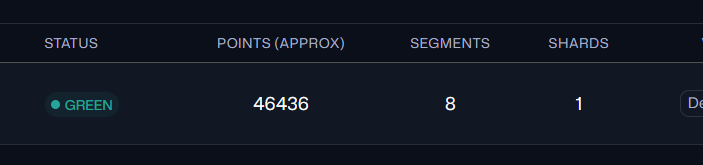
✔️ 추출완료
'web > AI' 카테고리의 다른 글
| [AI] RAG 똑똑하게 만들기(1) (1) | 2025.12.22 |
|---|---|
| [AI] 챗봇만들기 프로젝트 (2) (0) | 2025.12.19 |
| [AI] Tool Calling (0) | 2025.12.17 |
| [AI] RAG 와 VectorDB (1) | 2025.12.17 |
| [AI] Qdrant 로 RAG 구축하기(1) (1) | 2025.12.16 |